
Stream
Stream is a financial wellbeing provider that supports the financial wellbeing of over 3 million workers globally across 1,000 organisations. Its goal is to make work more inclusive and rewarding by providing access to fair financial services built around pay. Stream does this through an industry leading, financial wellbeing platform and toolkit which allows colleagues to choose their own pay cycle, manage their budgeting, build up a rainy day fund, chat to a money coach, and get fairer deals on financial products - all in one app.
About this benefit
The features inside the app include:
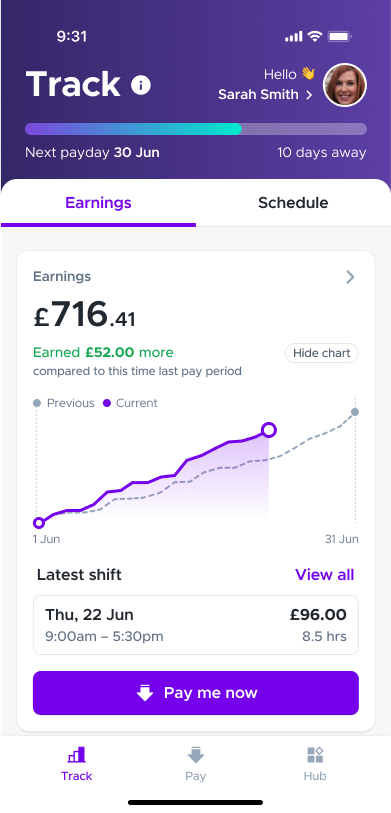
Tracking & Budgeting
Easily check your shifts, salary and expenses in real time.
- Payday transparency for easier budgeting
- Stream totals showing how much pay has been accessed
- Connect bank accounts using Open Banking for real-time balance and outgoings
Flexible pay
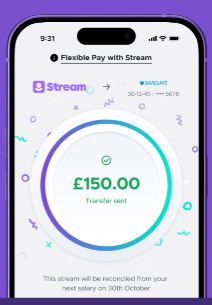
Choose when to get paid using your available earnings. You might decide to pay yourself to help with budgeting, paying for bills, managing cashflow or taking advantage of time-limited sales and offers.
- Colleagues on the ADP payroll system will be able to access 50% of their Basic pay
- Colleagues on the Workday payroll system will be able to access 50% of Net pay
- No impact to credit score or access to other financial products - transfers appear like regular salary payments
- Transfers are instant no need to wait for payments to clear
- Each transfer costs £1.95
Savings
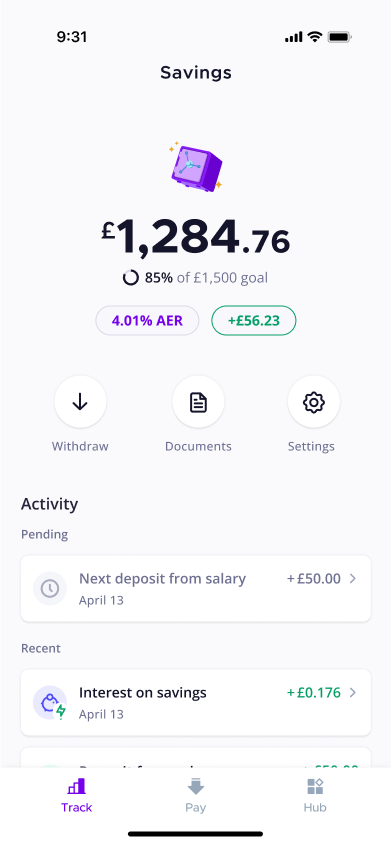
Put money aside each month, straight from your salary, to build a buffer for emergencies or treat yourself in the future.
- Easy access to money put aside which can be transferred anytime and paid out the next working day for free
- Variable Interest Rate
- Round up pennies from worked shifts and streams
- Automatically from pay designed to “set and forget” and build over time
- FSCS Protection up to £85,000
Coach
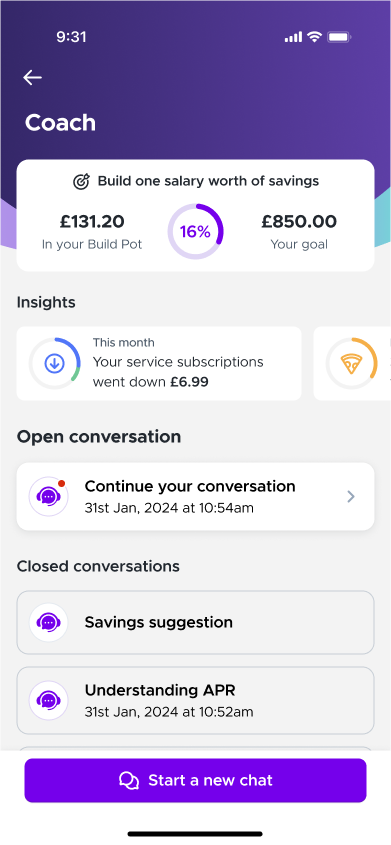
Your Coach sits in the background looking for ways to make your money go further, and to answer your questions on all things money.
- Access to an array of tools to improve financial education
- StepChange & Inbest support, access to charities and benefits entitlement
- Financial wellbeing quiz to benchmark progress and assess areas to improve
- Solutions and resources available in-app, so taking action is frictionless
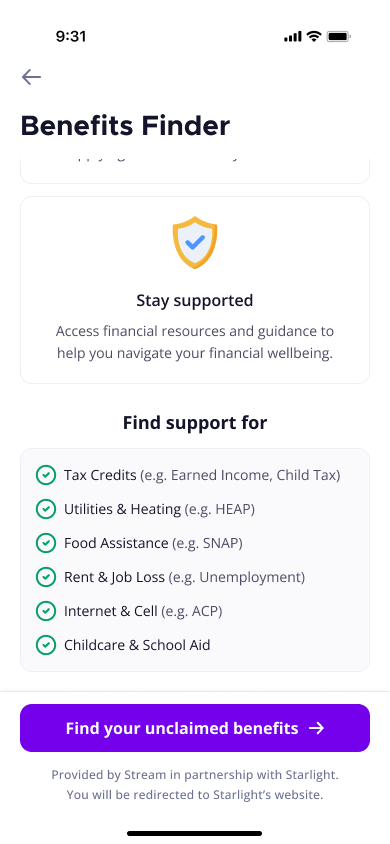
Benefits checker
Claim any government support you're entitled to.
- One-stop calculator that looks at hundreds of benefits, grants, and social tariffs
- Wide coverage across central and regional government, as well as local authorities
- Signposting to applications, resources, and where to find additional support
- Partnership with Inbest
Loans
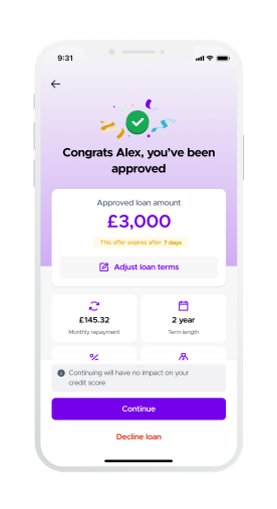
- A fair rate in three minutes
- Salary repayments
- No hidden fees
- Up to £25,000
How to get in touch
The fastest way to get the app support you need from Stream friendly team.
Step 1. Open the app
Step 2. Tap Hub
Step 3. Tap Help Centre and Contact Support
Locked out of the Stream app and need help? Contact Stream’s friendly team via the help centre on their website.
Any questions for Nuffield Health regarding Stream can be sent to the People Services by creating a case in Workday Help. Simply click 'Create Case' and use the case type 'Stream – My Benefits'.
Stream FAQs
To find answers to some of the most common question about Stream, please visit this link.
-
What is Stream?
Stream is a financial wellbeing provider that supports the financial wellbeing of over 3 million workers globally across 1,000 organisations. Its goal is to make work more inclusive and rewarding by providing access to fair financial services built around pay.
Stream does this through an industry leading, financial wellbeing platform and toolkit which allows colleagues to choose their own pay cycle, manage their budgeting, build up a rainy day fund, chat to a money coach, and get fairer deals on financial products - all in one app.
-
What support and tools does Stream offer?
Through the Stream App, you can easily access:
- Up to 50% of earned pay when you need it most
- Affordable loans, debt advice and - coming soon - credit building tools
- A tracker tool to manage earnings and spending throughout the month
- One-to-one financial coaching sessions
- Benefits checker tool to see what government financial support you may be entitled to
- Ability to save directly from your salary, at great rates
-
How do I sign up to Stream?
You will receive an email from Stream on 1 April inviting you to download the Stream app, along with your personal user-name and password and instructions on how to register.
The email will go to the personal email address you have listed in your Workday profile. Please note that we have conducted a thorough data protection impact assessment to ensure your personal and financial data is safe with Stream.
-
Why have I received an email from Stream?
As part of your benefits offering, Nuffield Health has partnered with Stream to offer you access to their financial wellbeing platform.
To ensure your financial and personal information remains confidential they need to communicate with you via your personal email address, not your work email.
The initial email you received from Stream sent on our behalf, is to inform you about the new benefit, how to access it and to provide you with your personal user name and password for the Stream app.
-
How do I unsubscribe to emails from Stream?
You have the right to unsubscribe from any future emails from Stream by clicking the "unsubscribe" link at the bottom of any email you receive.
-
What eligibility data do you share with Stream?
The data we share with Stream includes the information listed below:
- Employee ID
- Name
- Email (Personal)
- Termination date (if applicable)
This data will be shared regularly to ensure that eligibility records remain up to date. If you would like to opt out of this eligibility list and ensure that Stream do not have your personal email address, please contact People Services by creating a case in Workday Help. Simply click 'Create Case' and use case type 'Stream – My Benefits' with the subject line "Stream Eligibility Opt-Out".
When you download the Stream App and accept the terms and conditions, you will be providing consent to share additional data with Stream. Full details regarding this will be included in the terms and conditions.
-
Why has Nuffield Health provided Stream with my personal email address?
Many of our frontline colleagues do not have regular access to their Nuffield Health email addresses. Therefore, it is essential that the email address used for enrolment is one that is frequently used and easily accessible on personal mobile devices where Stream will be used.
Additionally, data from Stream indicates that colleagues prefer to keep their financial information, including advice, advances, loans, and statements, separate from their work email accounts.
-
How do I exercise my subject access right to be forgotten?
If you object to Stream processing your data and wish to exercise your "right to be forgotten," please contact Stream support directly at support@Stream.co.uk.
They will process your request and remove your data from their systems. Stream takes data security and privacy very seriously and adheres to all applicable data protection regulations.
-
I have a loan with Salary Finance, what will happen with this loan now?
Loans with Salary Finance will continue as they are until the end of the agreed term of that loan, you will continue to see deductions from your pay to salary finance.
-
Who is eligible to use Stream services?
To use Stream, colleagues must have received at least one payslip since their continuous service start date before they can enrol.
The service is not available to bank workers, hospital consultants, or self-employed individuals. Colleagues under the age of 18 are not eligible to access the service for savings or loans products.
-
What are the age restrictions for Stream services, including loans and advances?
Stream is available for all team members aged 16 and above, with the exception of savings and loans products, which team members under the age of 18 are not eligible to access.
-
How do I keep track of my Stream activity each month?
Each month you will receive a statement from Stream showing your transactions for the month.
This does not replace your payslip, it can be used in conjunction with your payslip to manage your finances.
-
How much can I save per month?
You can save up to £1000 per month
-
How easy is it to access savings?
You can withdraw your savings at any time, and you will receive the monies into your account the next working day.
-
What happens to your savings pot if you leave Nuffield Health?
Your Stream account will be disabled, and any funds in your Build Pot (savings) will be transferred to your bank account
-
How will advances appear on my bank statement?
Earned Wage Access (EWA) transfers will be credited to your bank account by Nuffield Health.
-
What happens if I am off work?
If your absence is related to a category that affects your pay, for example sickness, family friendly leave or career break, access to Stream services will be suspended during this time.
-
What % of my earnings will I have access to as an advance?
Colleagues on the Workday payroll system will be able to access 50% of Net pay
Colleagues on the ADP payroll system (previous Aspen hospitals) will be able to access 50% of their Basic pay. Variable hours are recorded manually using timesheet during the variable pay period. Following this, they are submitted for manual approval and subsequently uploaded in bulk to the payroll system prior to the payroll cut-off date.
-
Does using the advance feature affect my credit rating?
No there is no impact on your credit rating by using the advance feature.
-
Is there any interest payable on the flexible pay?
No, there is no interest payable on Stream's flexible pay. The only cost associated with using flexible pay is a fixed transaction fee of £1.95 per transaction.
-
Will using streaming payments impact mortgage applications?
No there is no impact to credit file
-
Are payments taken from salary (savings, loans) taken before or after income tax?
Payments will be taken from salary after income tax
-
What happens to my Stream if I leave Nuffield Health?
- Loan Repayment Method Changes: Once you leave Nuffield Health, your loan repayments will no longer be deducted from your salary. Instead, Stream will take repayments via Direct Debit.
- New Repayment Date: The repayment date will change to the last working day of each month.
- Notification: Stream will notify you about this change.
- No Access to Stream: If you have resigned and are working your notice period, you will no longer have access to Stream.
- Outstanding Streams: Any outstanding streams will be settled from your final pay.
-
How safe are the Stream systems from hacking/scams etc?
We have robust checks in place and our team of subject matter experts checked and ensured that the Stream service is safe for our colleagues to use. This included:
- Completion of a Data Protection Impact Assessment (DPIA) for Stream. This helps identify and reduce data protection risks ensuring compliance with laws like GDPR.
- Completion of a Due Diligence (DDQ), which assesses Stream’s business operations, financials, legal and regulatory compliance.
- A robust contract between Nuffield Health and Wagstream reviewed and agreed by our procurement and legal teams.
-
Does Stream have any measures in place to support employees with financial management, or any mechanisms to flag concerns to employers where appropriate?
Stream have a process in place for supporting vulnerable colleagues – find out more here
-
If I have an issue or question about Stream but I’m locked out of the app, what can I do?
If you cannot access the app due to login or registration issues, please contact the Stream team through the website's help centre: Stream Help Centre.
-
How do I update my salary-payment bank details that Stream have on file?
To update your salary-payment details held by Stream you will need to go into Workday and overwrite the Stream bank details that show in your Workday profile with the new personal bank details you wish to use. It does need to be the Stream details that you overwrite for Stream to pick this up.
Once you have made this change in Workday, Stream will pick up the new personal details you have entered at the next data sync (these occur every 4 hours) and store them on their side for future salary payments.
Stream will then transfer your Stream account details back into Workday again. So when you see their Stream bank details showing in Workday again this can be considered confirmation that the personal bank details update has completed.